Add Cara to your website
Paste one script tag into your site and a chat bubble answers visitors from your business knowledge and captures leads to your inbox.
Last checked against the product on
A visitor lands on your site at 9pm with a question you'd normally answer on the phone, and leaves instead of calling. Cara can answer that question right there, in a chat bubble, using the same business knowledge she already uses on calls — and send you the lead.
How it works
- The same Cara who answers your phone answers chat visitors from your business information. She never texts the visitor — only chats inside the panel on your page.
- A lead she captures in chat lands in your inbox the same way a phone lead does.
- The widget is one script tag. It renders as a floating bubble in the corner of your site.
Add the widget to your site
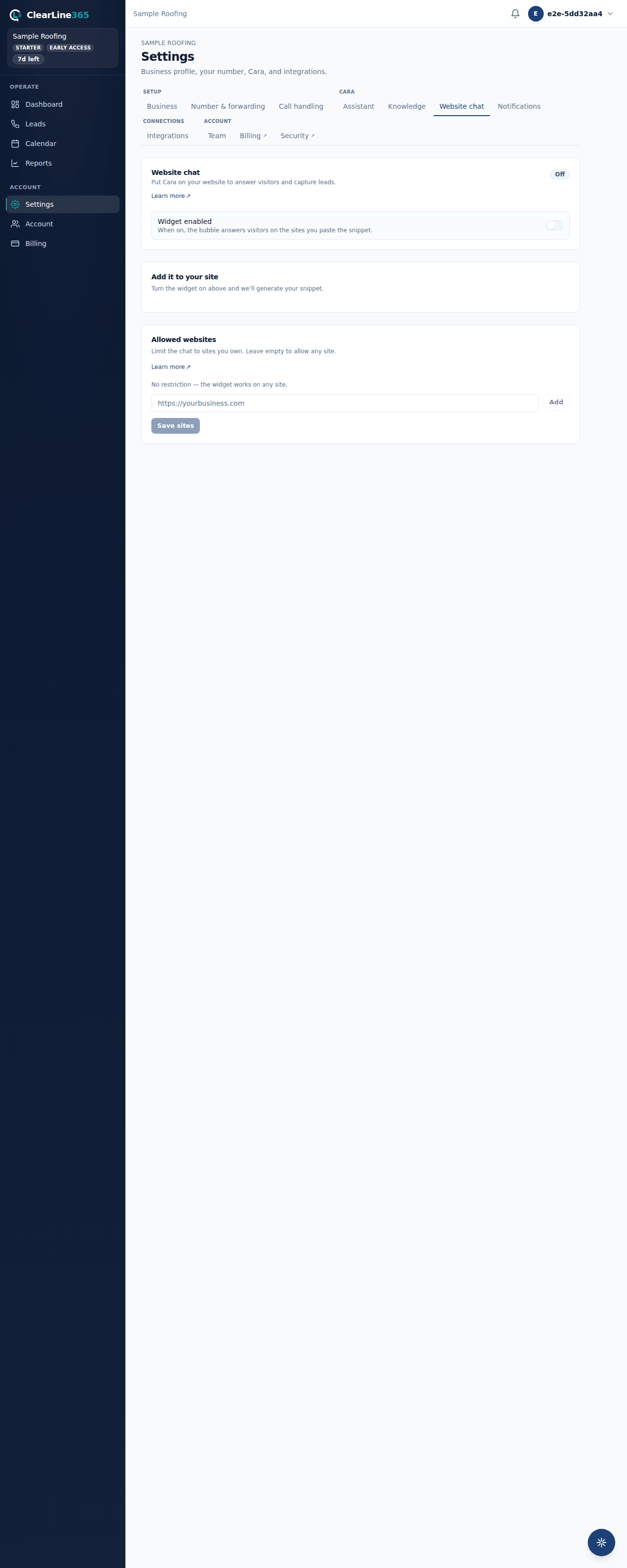
- Go to Settings → Website chat. Below Pro, this tab shows an upgrade prompt instead of the widget.
- Turn on Widget enabled.
- Copy the embed snippet — it looks like
<script async src="https://clearline365.com/widget.js" data-clearline-key="wc_..."></script>. - Paste it into your site's HTML, just before the closing
</body>tag.
What to expect
The chat bubble appears in the corner of your site as soon as the snippet loads. Clicking it opens a panel where a visitor can type a question and get an answer from Cara; if she captures a lead, it lands in your ClearLine365 inbox like any other lead.
Limits
- Website chat is available on Pro and up — Basic and Starter don't have the tab.
- Only an owner can turn the widget on, edit its allowed sites, or rotate its key; other team members see a read-only note instead.
- The widget key is public by design — it's meant to ship in your page source. It isn't a secret; isolation between businesses is enforced on our servers, not by hiding the key.
Common questions
Does the chat widget text my visitors?
No. It only answers inside the chat panel on your page — it never sends a text message to the visitor.
Can I put the same snippet on more than one site?
Yes — by default the key isn't tied to one domain. If you want to restrict which sites can use it, see Allowed origins and rotating your key.