Custom webhooks and the signed payload
Send every new lead and booking to any HTTPS URL as JSON, signed with HMAC-SHA256 so your endpoint can verify it came from us.
Last checked against the product on
If you already pipe data into a spreadsheet, a database, or a tool that isn't on the integrations list, you don't need to wait for us to build a dedicated connector. Point the Custom webhook at any HTTPS URL and every new lead and booking lands there as JSON, signed so your endpoint can prove it came from ClearLine365.
How it works
- A lead is captured or corrected, a lead is marked Won, or an appointment is created, updated, or cancelled → we POST a JSON payload to the URL you configured.
- Every request carries an HMAC-SHA256 signature so your endpoint can verify it wasn't spoofed.
- Failed deliveries retry automatically. Sending leads and sending bookings can be turned off independently — both are on by default.
Connect a custom webhook
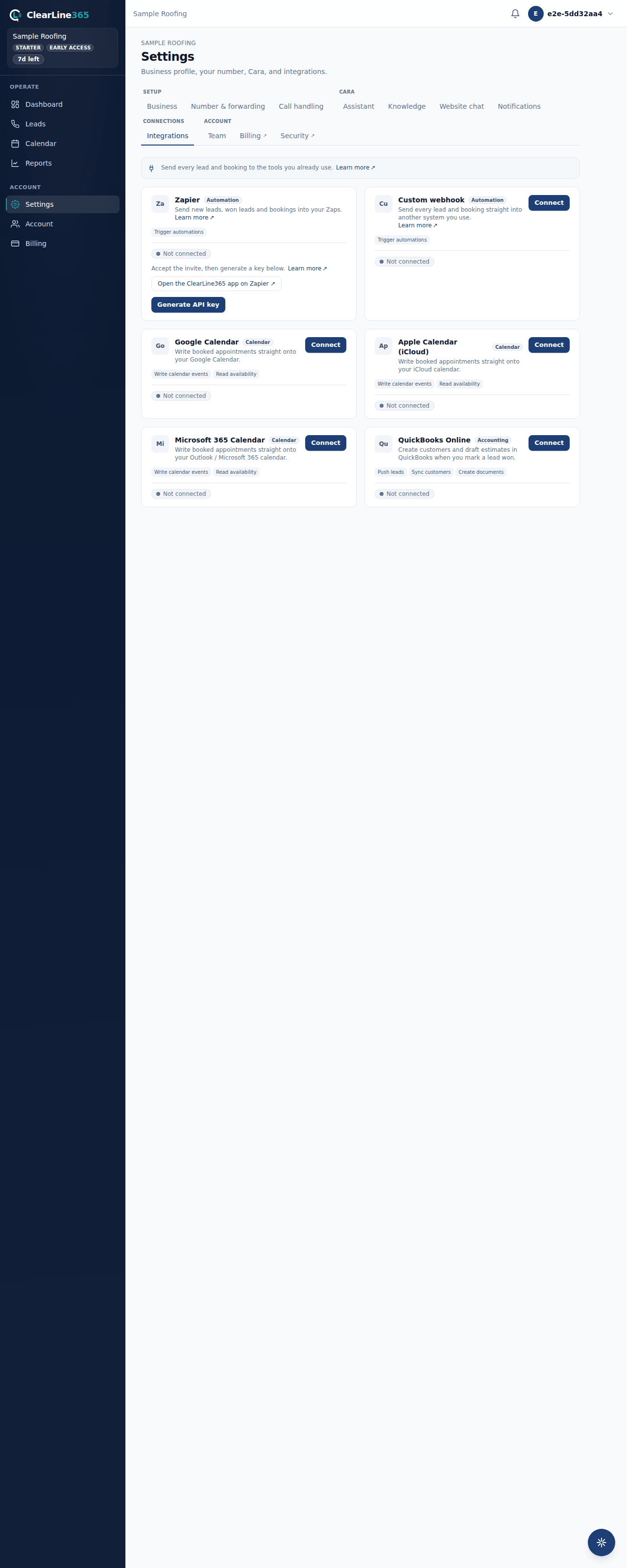
- Go to Settings → Integrations and open the Custom webhook card.
- Paste the HTTPS URL that should receive events — a Zapier Catch Hook, Make, n8n, or your own endpoint.
- Choose whether to send new leads, new bookings, or both.
- Connect, then copy the signing secret shown on screen right away — it won't be shown again.
The payload
Every delivery is a POST with this body:
{
  "event": "lead.created",
  "org_id": "...",
  "data": {}
}
event is one of lead.created, lead.updated, lead.won, booking.created, booking.updated, or booking.cancelled.
For a lead, data carries: id, orgId, callerName, callerPhone, address, trade, issue, isEmergency, priority, status, summary, estValueCents, and finalValueCents. Both value fields carry the Job value you record on the lead — never an AI estimate — and are omitted until you've entered one. A call recording is never included in this payload, even as a link. A lead.updated delivery fires when you correct a lead's name, phone, or address after the fact, and carries the same fields plus correctedFrom, holding what those fields held before the edit.
For a booking, data carries: id, orgId, startsAt, endsAt, title, status, leadId, and a customer object with name, phone, and address.
Verify the signature
Every request carries:
| Header | Value |
|---|---|
x-clearline-signature | sha256= followed by the hex-encoded HMAC-SHA256 of the raw request body, using your signing secret |
x-clearline-event | The event name, matching the payload's event field |
content-type | application/json |
user-agent | ClearLine365-Webhook/1.0 |
Recompute the HMAC over the exact request body bytes with your signing secret and compare it to the value after sha256=. Zapier's own Catch Hooks don't check this header, so if you're only using Zapier you can ignore it.
What to expect
A successful delivery gets a 2xx response from your endpoint — there's nothing else to do. If your endpoint is down or returns a 429 or a 5xx error, we retry automatically with a backoff that doubles each time — roughly 2 minutes, then 4, then 8 — for up to four attempts total, then we stop. A 4xx response other than 429 is treated as permanent and isn't retried.
Limits
- Custom webhooks are available on Starter and up.
- The destination must be a public HTTPS address — no localhost, no private network address, no plain HTTP.
- We never forward a recording URL in the payload, even on a plan that includes recordings.
- Up to four delivery attempts per event, then it stops retrying.
Common questions
What if my endpoint doesn't check the signature?
That's fine — plenty of receivers, including Zapier's Catch Hooks, don't. The header is there for the endpoints that do.
Can I point the webhook at an internal server?
No. The destination has to be a public, internet-reachable HTTPS address.