Sending won leads to QuickBooks Online
Every lead becomes a QuickBooks customer, and marking one Won adds a draft estimate, with no invoice and no auto-email, on Pro and up.
Last checked against the product on
Marking a job Won already tells you it's real work. QuickBooks Online turns that same click into the next piece of paperwork: a draft estimate waiting in your books instead of retyped from a transcript.
How it works
- Connecting QuickBooks links one QuickBooks company to your ClearLine365 account.
- Every captured lead creates or matches a customer in QuickBooks, whether or not it's ever won — that part happens as soon as Cara finishes the call.
- Marking a lead Won with a job value you entered additionally creates a draft estimate on that customer, for that amount. Nothing is ever invoiced or emailed automatically.
- Matching a customer checks a stored link, then email, then name with a phone match, in that order, before creating a new one. If two different customers match on two different signals, the delivery is held back rather than guessed at.
- A phone number or email QuickBooks is missing gets filled in on a matched customer. A value QuickBooks already has is never overwritten.
- The estimate is stamped so a retried delivery can never create a second one for the same lead.
Connect QuickBooks Online
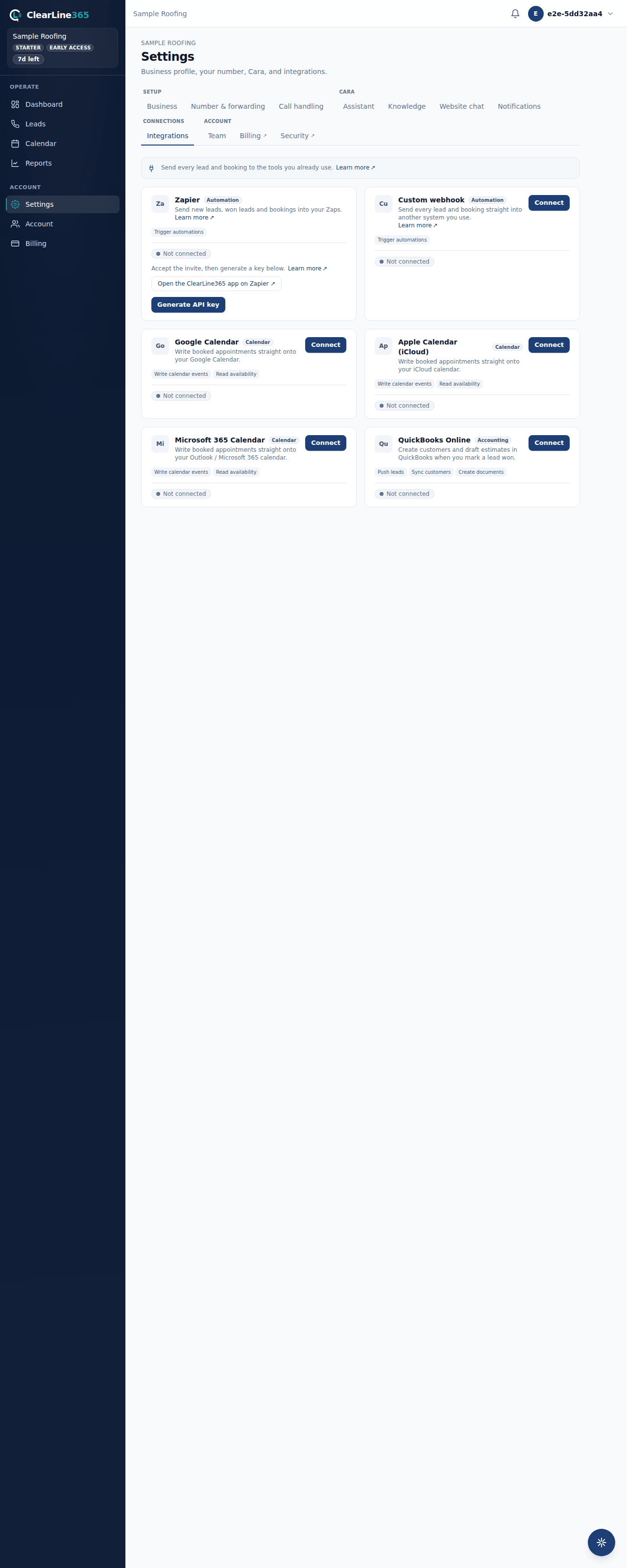
- Go to Settings → Integrations and find the QuickBooks Online card.
- Choose Connect, then sign in to QuickBooks and approve the connection.
- Back in ClearLine365, choose your default service item — every estimate line needs one, and the list is loaded straight from your QuickBooks company.
What to expect
Your next captured lead shows up as a customer in QuickBooks shortly after the call ends. Mark that lead Won with a value on it, and a draft estimate appears on the same customer, using the default service item you picked. A lead with no job value is skipped rather than estimated at zero.
Limits
- Available on Pro and up. Basic and Starter don't see the card.
- QuickBooks gets a draft estimate only — there is no invoice option and no auto-email to your customer. Reviewing and sending it from QuickBooks is still up to you.
- One default service item covers every estimate line; there's no per-job item picker yet.
- Disconnect any time from the same card — nothing already created in QuickBooks is touched.
Common questions
Does this read anything back from my books?
No. ClearLine365 only creates customers and draft estimates in QuickBooks — it never reads your invoices, payments, or other financial data.
What happens if I mark a lead Won without a default service item chosen?
That lead's estimate isn't created, and it isn't retried automatically once you pick an item. Choose your default service item in Settings → Integrations before you rely on this — every lead you mark Won after that flows through normally.