Delete your account and your data
Deleting starts a 7-day grace period before anything is destroyed, and exactly what's removed — and what's kept — is spelled out here.
Last checked against the product on
Deleting your account isn't instant, on purpose. A slip of the thumb shouldn't be able to erase a business's calls and leads with no way back.
How it works
- Deleting starts a 7-day grace period. Your business is suspended immediately — Cara stops answering its calls — but nothing is destroyed yet.
- During those 7 days, undoing it restores everything exactly as it was.
- After 7 days, the teardown is permanent: calls, recordings, transcripts, appointments, your assistant configuration, integrations, and your phone number are all gone for good.
Delete from the web
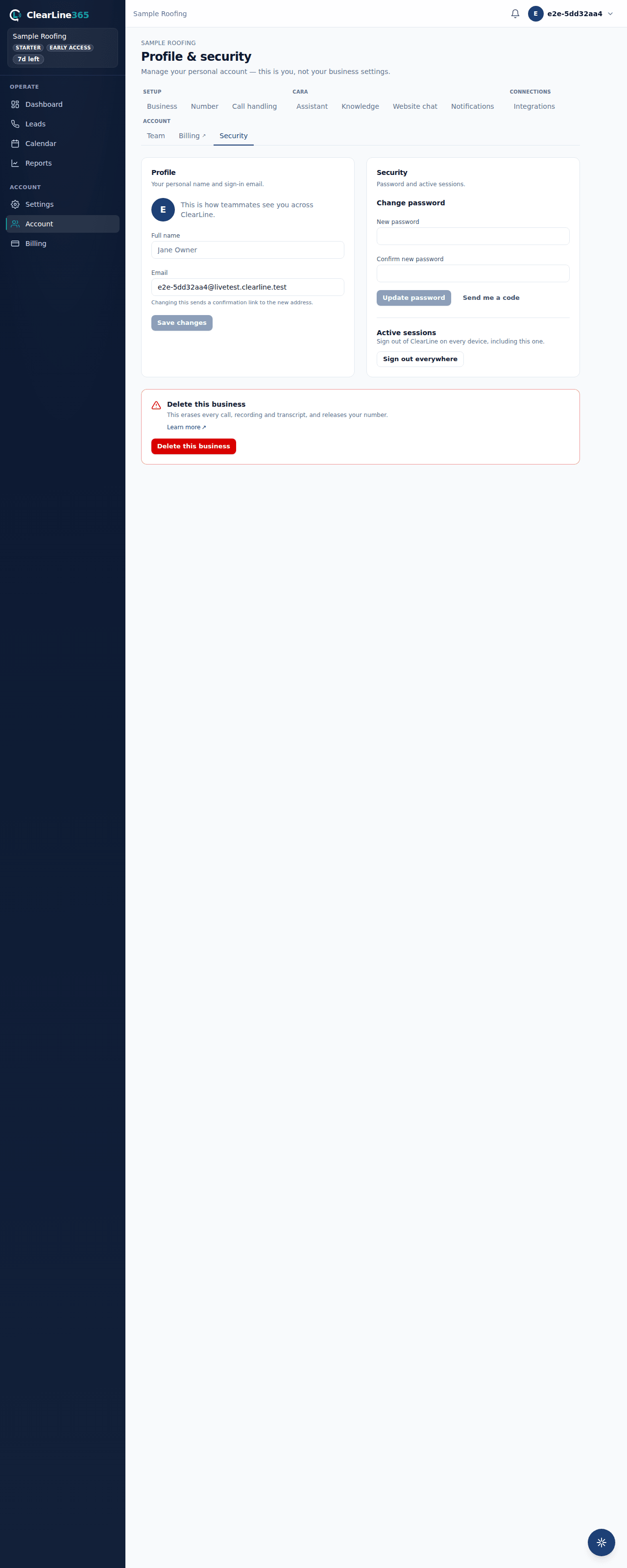
- Go to Account in the left nav.
- In the Delete this business section, choose Delete this business.
- Type your business's exact name to confirm — this affects your whole team, not just you.
- Choose Delete this business again to confirm. You're signed out right away.
While the 7 days run, every page shows a red banner: Your account is scheduled for permanent deletion on \<date\>. The owner can undo it any time from that banner with one click — Cancel deletion & keep my account.
Delete from the mobile app
- Open Settings and scroll to Danger zone.
- Choose Delete account.
- Read the warning, then choose Continue.
- Type DELETE to confirm, then choose Delete my account.
What happens next depends on your role:
- You solely own a business — that business is scheduled for the same 7-day teardown as the web flow. Sign back in before the date to cancel it.
- You co-own a business, or have other team members — the app won't delete your account this way. Transfer ownership or remove the other members first; a shared business can't be torn down through one person's account request.
- You're a team member, not an owner — your login is removed immediately, and the business you worked for is untouched.
What is deleted
- Your sign-in credentials and profile (your login survives if you belong to another business).
- Calls and leads — records, transcripts, caller names, phone numbers and addresses.
- Call recordings, deleted from our storage and from our telephony provider.
- Appointments and your booking calendar.
- Your AI receptionist configuration — greeting, business hours, services, knowledge, transfer and routing rules.
- Connected integrations and their stored credentials.
- Your phone number, released back to the carrier.
- Team members, invites and notification recipients.
What we keep, and why
- An internal administrative log, with your business no longer identified in it — it records that an action was taken, not your calls or customer details.
- Payment and invoice records held by our payment processor, kept for tax and accounting purposes, typically for seven years.
Limits
- Once the 7 days pass, deletion can't be reversed by anyone, including support.
- Deleting a mobile account is blocked while you co-own a business with other members — remove them or transfer ownership first.
- To leave a business without destroying it, remove yourself as a team member instead — that keeps the business and its history intact for everyone else.
Common questions
I no longer have the app and can't sign in — can I still delete my account?
Yes. Email support@clearline365.com from the email address on your account with the subject "Account deletion request." We verify it's really you before starting the same 7-day process.
Can I delete one lead or recording without deleting my whole account?
Yes — open the lead and choose Delete. It sits in Recently deleted for 7 days, a one-click undo, then the call record, its transcript and its recording are permanently removed.