Connect Google Calendar
Link your Google Calendar so Cara books appointments straight onto it and never offers a time it already shows as busy.
Last checked against the product on
You already run your schedule out of Google Calendar, and you'd rather Cara write into that than keep a second calendar in ClearLine365. Connect it once, and every appointment Cara books lands on your Google Calendar directly — and anything already on it blocks Cara from double-booking you.
How it works
- ClearLine365 asks Google for permission to create, update, and cancel events on one calendar of yours, plus read your list of calendars so you can pick which one. It does not read the contents of your other events.
- Once connected, that calendar's free/busy time becomes authoritative: Cara won't offer or book a time it shows as busy.
- Every appointment Cara books gets exactly one matching Google Calendar event.
Connect it
- Go to Settings → Integrations.
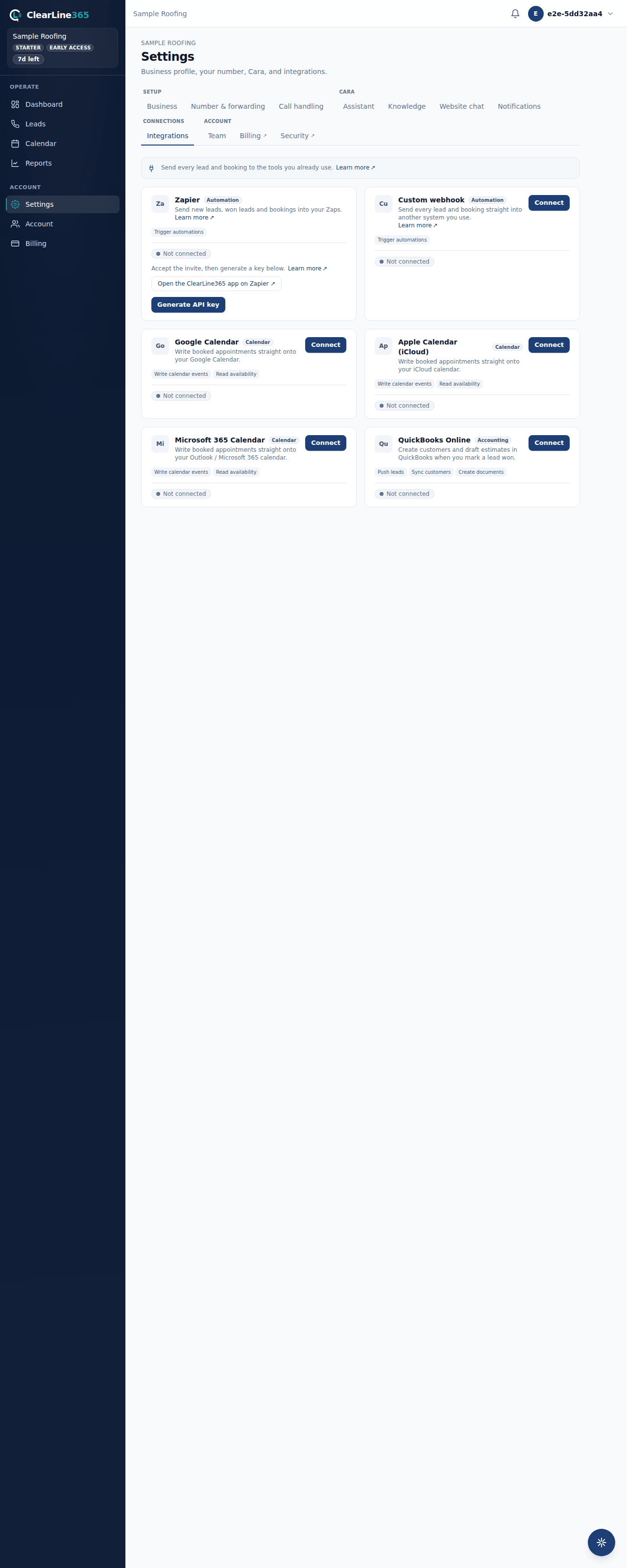
- Find the Google Calendar card and select Connect.
- Sign in with the Google account that holds your work calendar and approve the calendar access Google asks for.
- You'll land back on Settings with the card showing Connected. Pick your Target calendar from the dropdown — this is where Cara's bookings will go.
What to expect
The card shows which Google account is connected. From here on, any appointment Cara books during a call appears on that Google Calendar within moments, and any event already there — a personal appointment, a job you added straight in Google — keeps that time off the table for Cara.
If Google ever declines the connection or the attempt expires (this happens if Connect gets clicked more than once), the Integrations tab tells you plainly and lets you try again.
Limits
- Basic has no calendar integrations. Basic uses the built-in ClearLine365 calendar only — Google Calendar sync starts at Starter.
- Starter holds one calendar connection at a time — Google, Apple, or Microsoft 365, your choice. Connecting a second calendar on Starter isn't available; disconnect the first to switch, or upgrade to Pro to run more than one calendar at once.
- Pro and above may connect multiple calendars simultaneously.
- If ClearLine365 can't reach Google Calendar for a moment during a live call, Cara still books the appointment rather than making the caller wait — see Who decides availability for what happens then.
Common questions
Which Google account should I connect?
Whichever one holds the calendar you actually work off of day to day — the one where you'd notice a conflict. You can change the target calendar within that account any time from the Integrations card.
Will this touch my personal events?
No. ClearLine365 only creates, updates, and cancels the appointments it books on the calendar you pick. It reads free/busy time to avoid conflicts but doesn't read what your other events say.