Spanish-speaking callers: what works today
A Spanish-speaking caller is understood, and the lead comes back to you in English, tagged Spanish, with only the greeting language yours to choose.
Last checked against the product on
A caller who only speaks Spanish shouldn't hit a dead end when they call your business. Cara understands Spanish either way, whether or not you've set anything up — this article is the honest version of exactly what happens and what's actually yours to choose.
How it works
- Cara listens for both English and Spanish on every call automatically. A caller can speak Spanish and be understood without you changing any setting.
- She always answers back in English, on every call, regardless of what the caller speaks.
- When a call turns out to be in Spanish, the lead you receive comes back in English: the call is tagged "Spanish call" with a flag icon, and the summary and transcript are translated to English so you can read and act on it without speaking Spanish yourself.
- The only thing you choose is which language Cara opens the call in — her greeting — not what language she converses in after that.
Choose your greeting language
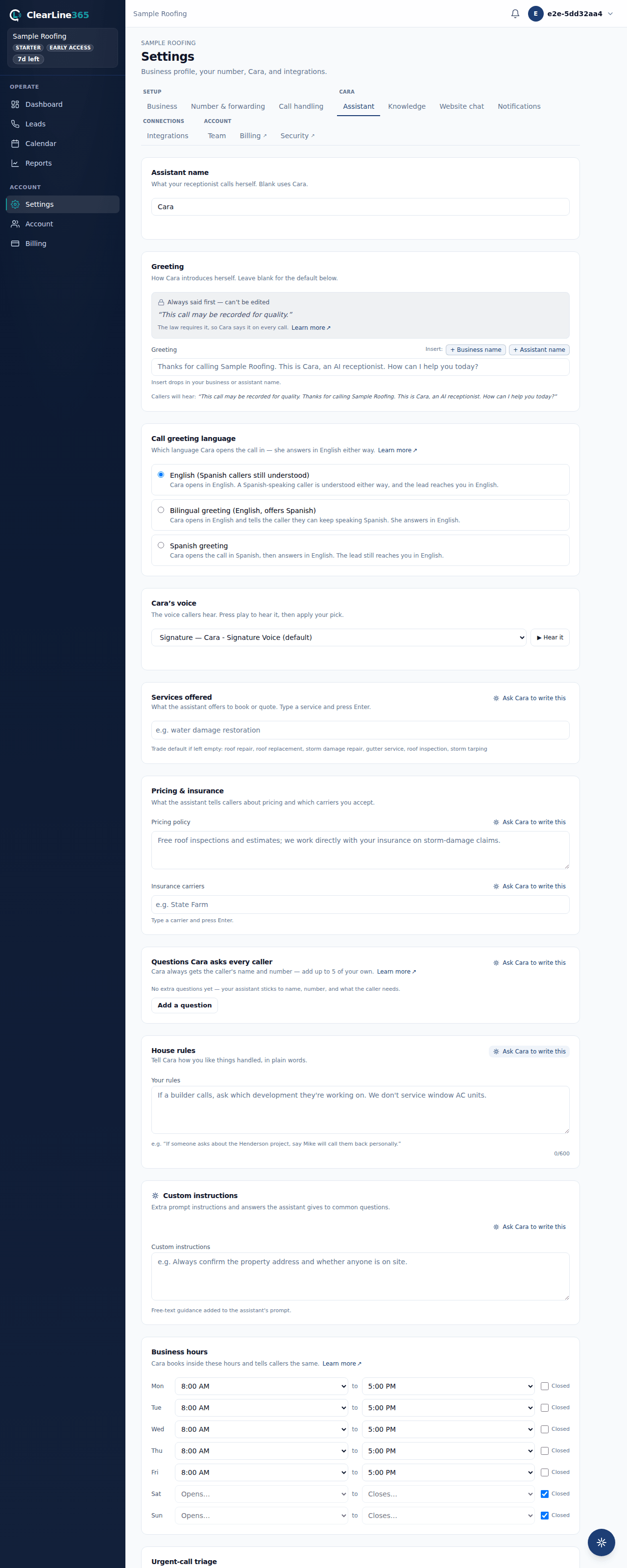
- Go to Settings → Assistant and find the Call greeting language card.
- Choose English (Spanish callers still understood) to have Cara open every call in English. A Spanish-speaking caller is understood just the same either way, and the lead still reaches you in English.
- Choose Bilingual greeting (English, offers Spanish) to have Cara open in English and tell the caller they can keep speaking Spanish if that's easier for them.
- Choose Spanish greeting to have Cara open the call in Spanish, then continue answering in English from there.
- If you've written your own custom greeting, it's used word for word regardless of this setting — the language choice here only picks the language of the required disclosure line spoken just before it.
What to expect
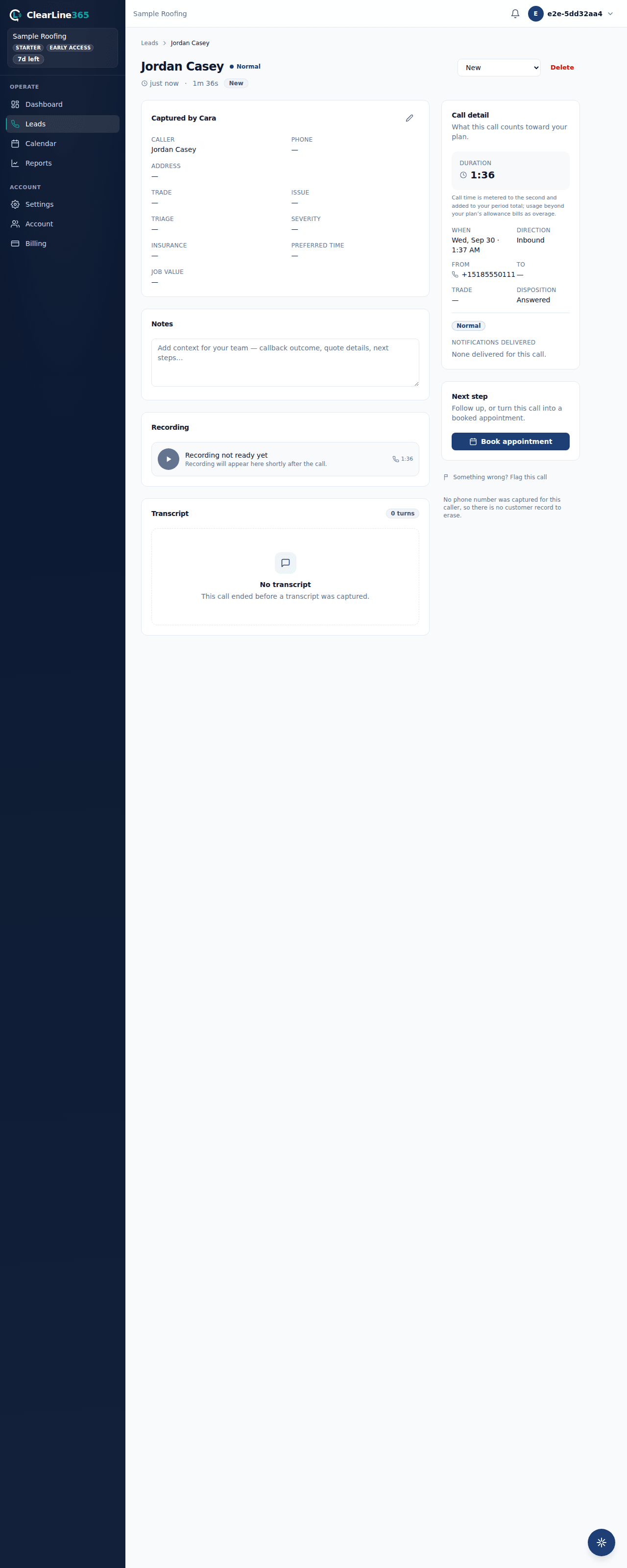
On a Spanish call, open the call in your inbox and you'll see the "Spanish call" tag. The transcript shows the English translation by default, with a toggle to switch back to the caller's original Spanish — the Spanish original is never hidden, just one tap away. If a translation isn't available for some reason, the Spanish original shows on its own with an honest note, never a blank screen.
Limits
- Cara's voice always answers in English. No greeting-language option makes her converse in Spanish after the opening line — the setting only changes how she opens the call.
- The lead itself — the summary, the transcript translation, and every field you read — is always in English. There's no option to receive a Spanish-language lead.
- If a custom greeting is set, it's spoken exactly as written no matter which greeting language is selected; the language setting only affects the required disclosure line before it.
Common questions
Do I need to pick "Spanish greeting" for Cara to understand Spanish callers?
No. Cara understands a Spanish-speaking caller regardless of which greeting language you've chosen. The greeting setting only changes how she opens the call, not whether she understands what comes after.
How do I know a call was in Spanish without opening every transcript?
Look for the "Spanish call" tag on the call in your inbox — it's visible at a glance, before you open the transcript.