Create your account and meet Cara
Find your business, hear Cara answer a call in her own voice, then create your account — before anything is saved.
Last checked against the product on
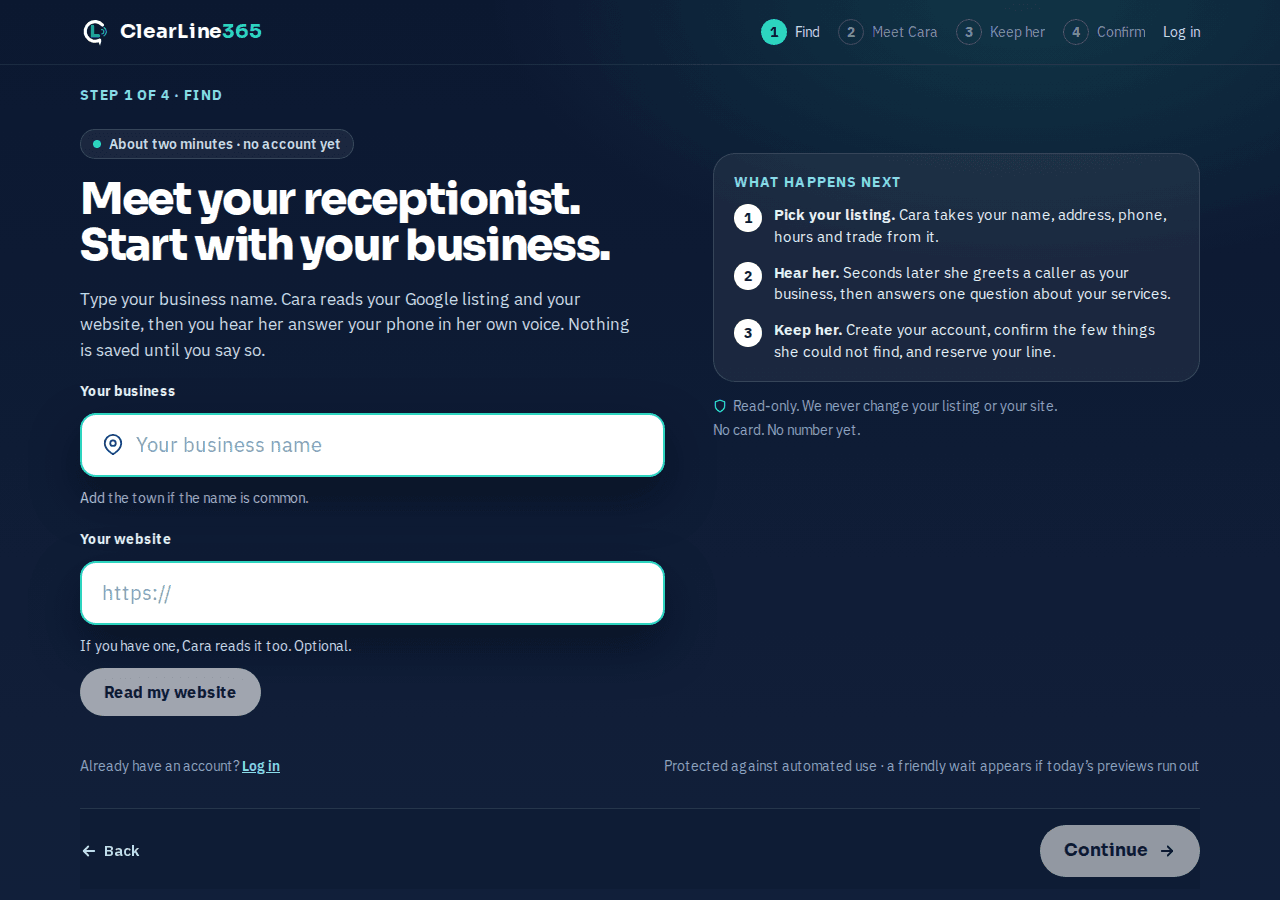
You don't fill out a form before you hear how Cara sounds. Go to clearline365.com/start, type your business name, and Cara reads your Google listing and your website in the background. A minute or two later you hear her answer a call as your business, in her own voice — before you create an account or save anything.
How it works
- Find your business. Search brings up your Google listing; if nothing matches, paste your website instead. Either way, Cara starts reading right away.
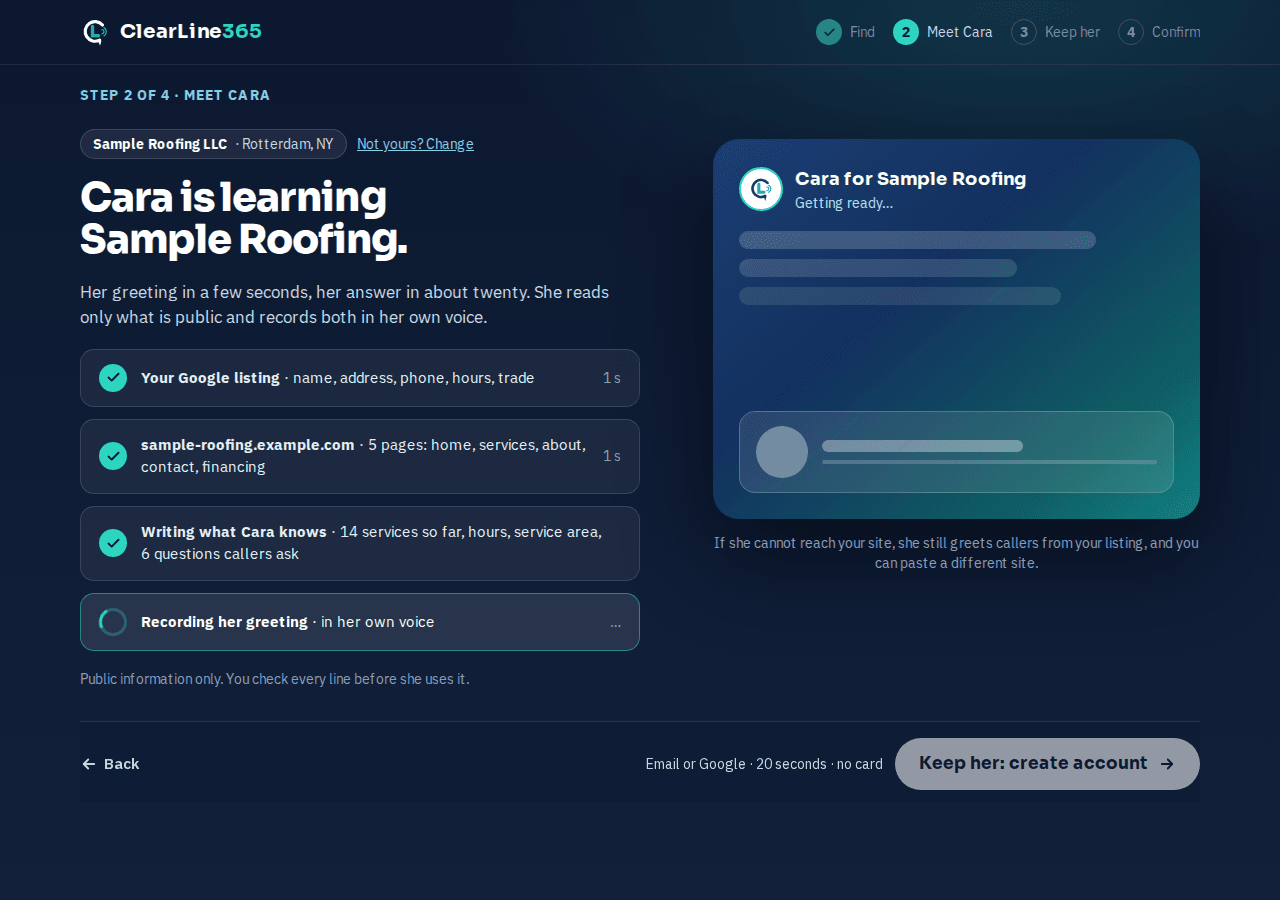
- Hear her. She records a short greeting and an answer to one question about your services, from what she just read.
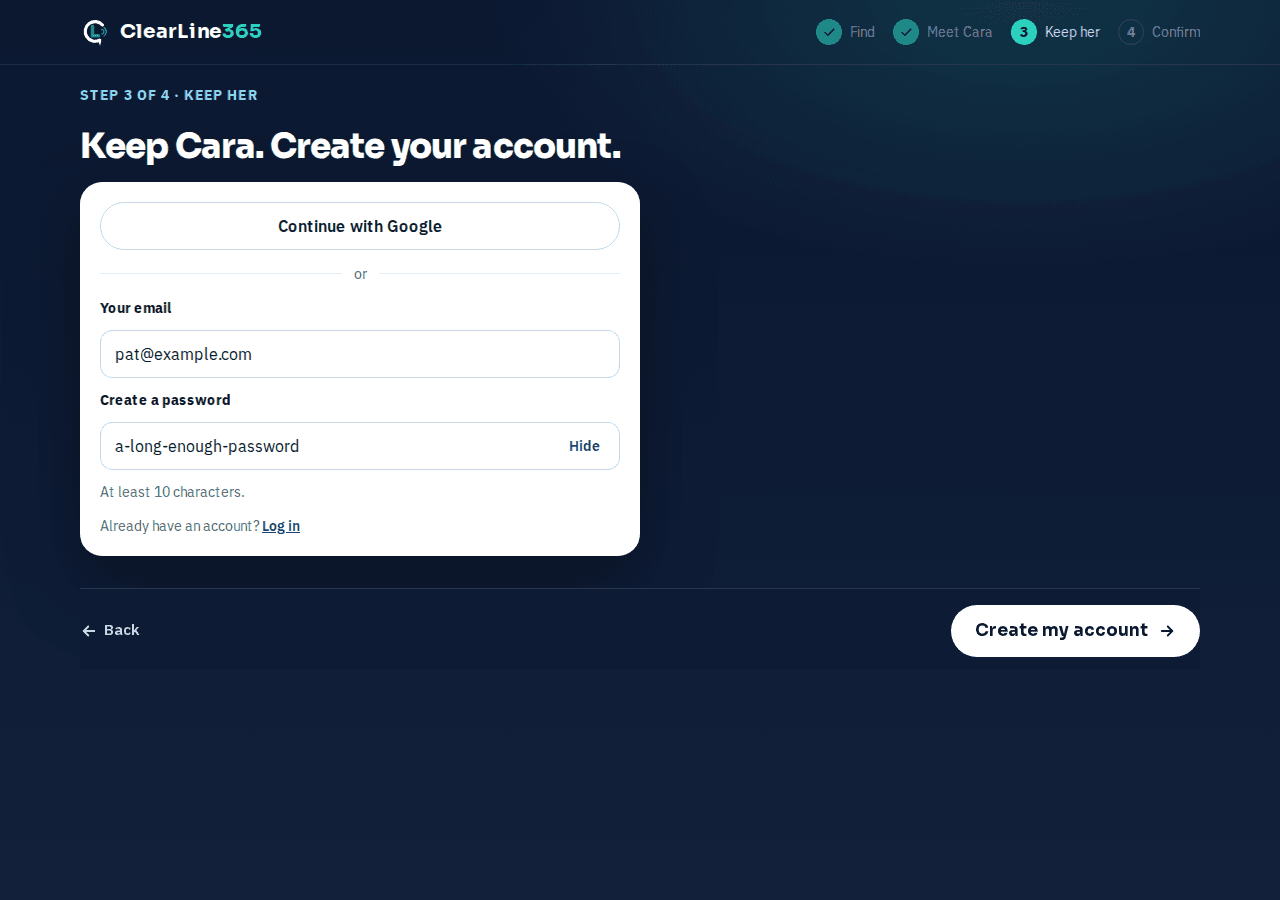
- Keep her. Create your account with Google or an email and password. This is the first thing that requires an account — everything before it is read-only.
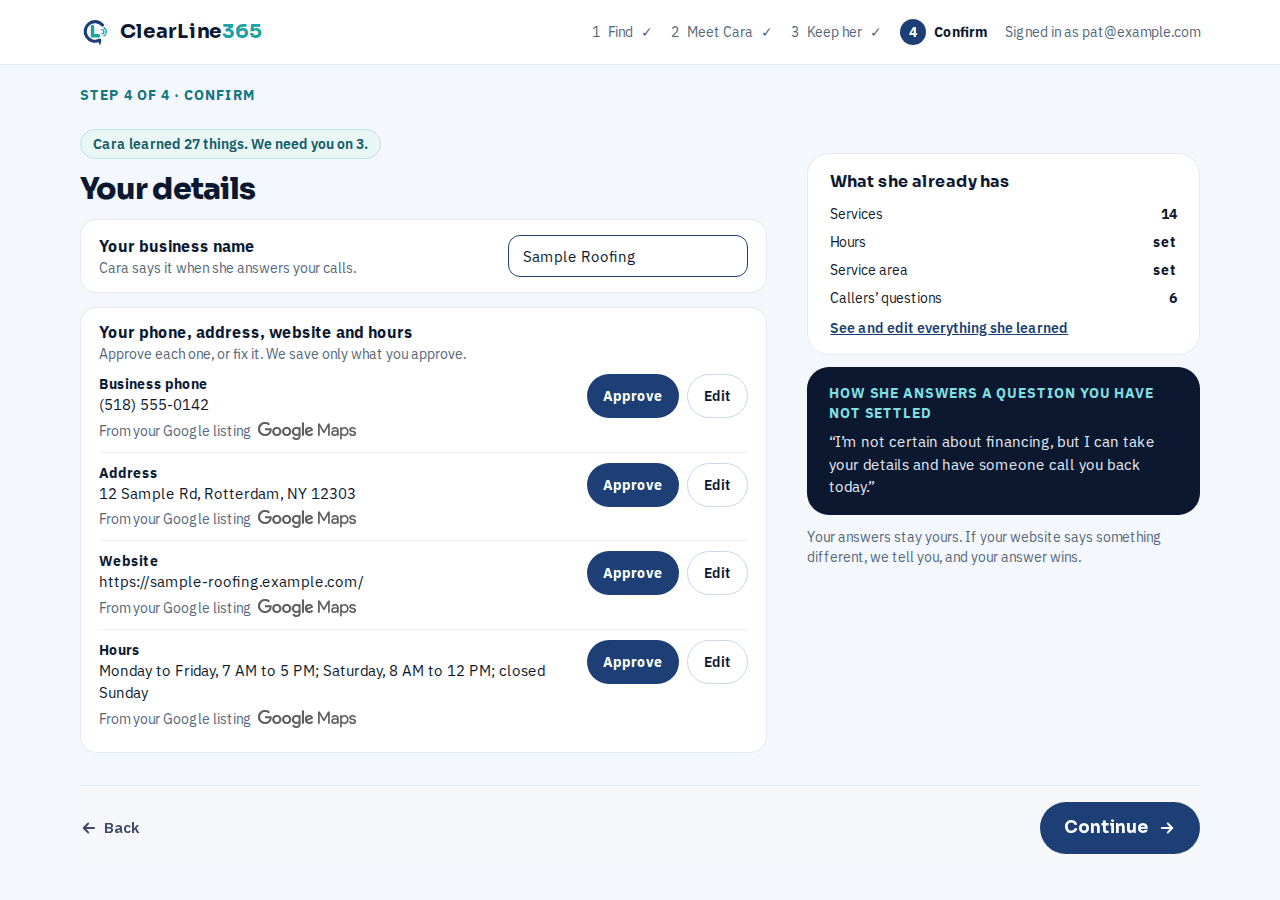
- Confirm a few things. Answer the handful of questions she couldn't get from your website, and say where new leads should go. Save creates your business and starts your line.
Find your business and hear Cara
- Go to clearline365.com/start. Type your business name — add the town if the name is common — and pick your listing from the suggestions with This is mine. No match yet? Add the town, or select Read my website and enter your site address instead.
- Cara reads your listing and, if you have one, your site, while the page shows her progress. If your Google listing doesn't give her a name to say, she asks you to confirm it first.
- Once she's ready, play the greeting and her answer to a caller's question. Every fact she found — services, hours, service area — is on screen next to where it came from, and none of it is saved yet: close the tab and it's gone.
Keep her: create your account
- Select Keep her: create account.
- Choose Continue with Google, or enter your email and create a password and select Create my account.
- With email and password, check your inbox for a 6-digit code and enter it, or open the link in that email, to confirm it's yours.
Confirm a few things and save
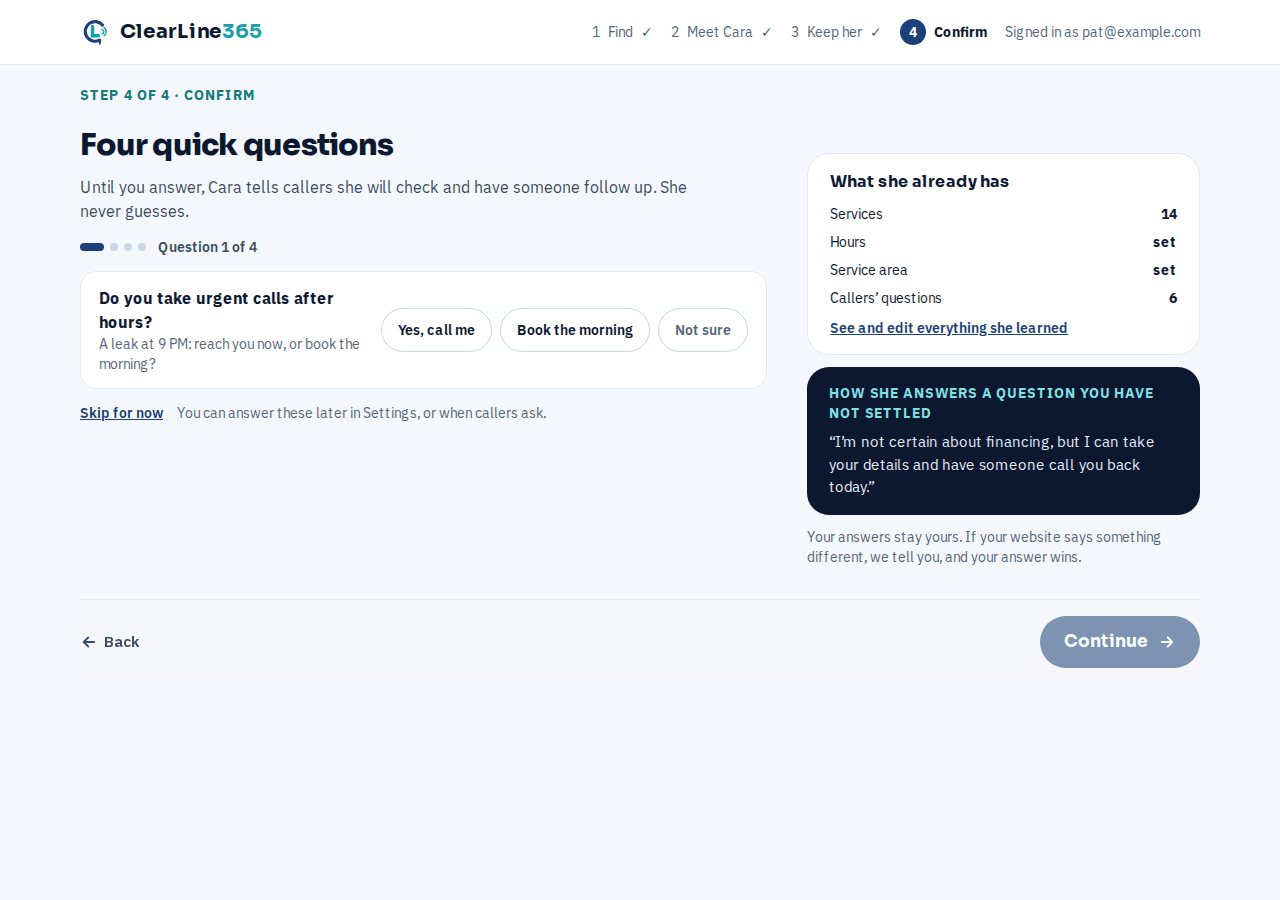
- Answer the questions Cara couldn't answer from your website alone — whether you take urgent calls after hours, offer free estimates, offer financing, and do commercial work. Not sure is a fine answer to any of them.
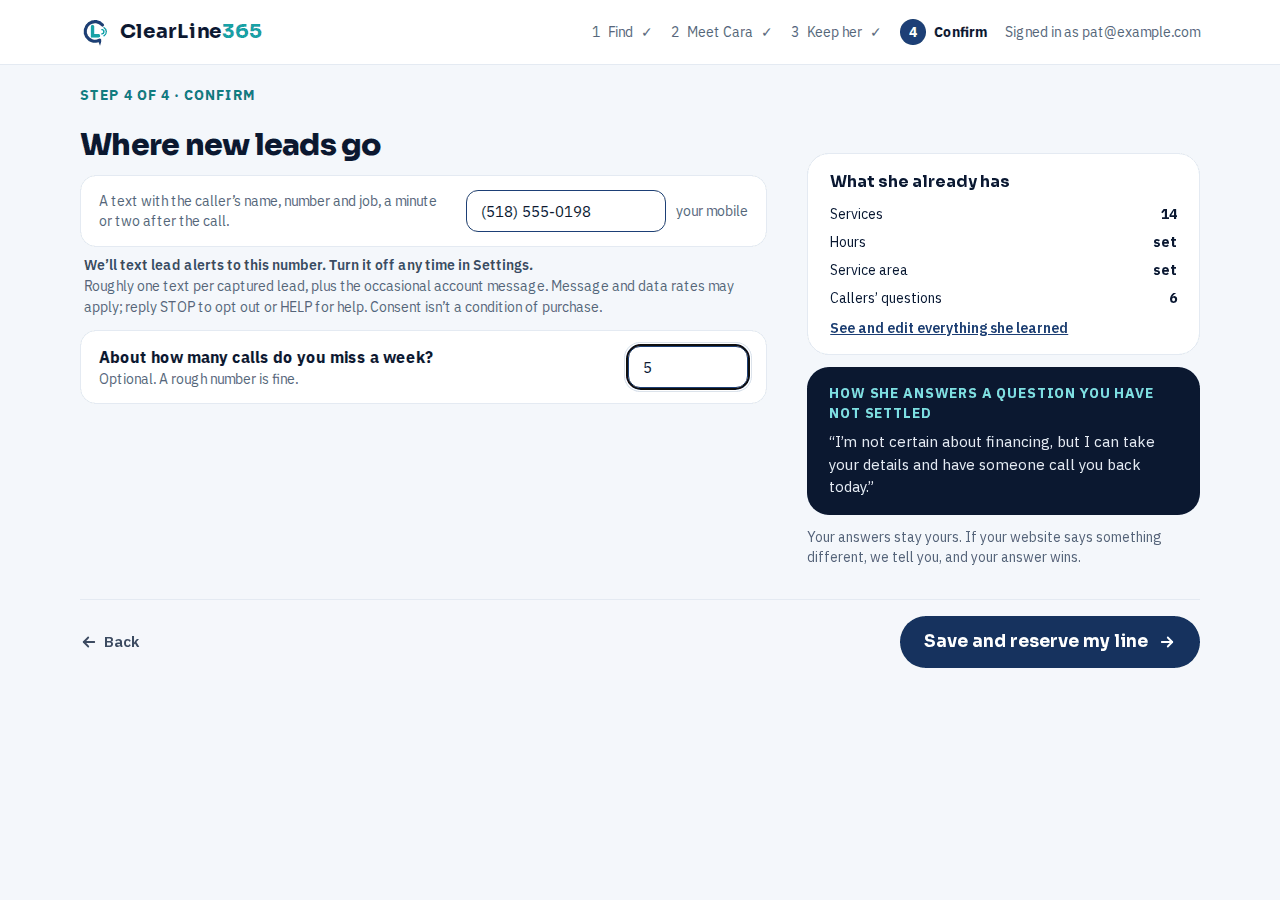
- Enter the mobile number new leads should text to, and, if you want, about how many calls you miss a week.
- Approve or edit the phone, address, website and hours Cara found on your Google listing — nothing is saved until you approve it or fix it yourself.
- Select Save and reserve my line or Save and get my number (the wording depends on whether ClearLine365 is opening lines by invitation right now) to create your business. Skip for now saves everything else and leaves the four questions unanswered — you can answer them later in Settings, or when a caller asks.
What to expect
Save takes you straight to your line. If ClearLine365 is opening new lines by invitation, you land on a waitlist card that says where you are in line — no number yet, no charge, and nothing reaches Cara until your line opens. If lines are open, your number starts right away and the same page shows it, a Call it from your phone button, a test call, and forwarding, updating itself the moment it's ready. Either way, everything Cara learned in Find and Meet is already saved to your business.
Limits
Nothing is saved to your business until you create your account in Keep her — leaving the tab open before that point loses it. The Find and Meet steps are read-only: Cara never changes your Google listing or your website. Every business still gets one number, and it's a US number — see Why US numbers only, and one number per business.
Common questions
Do I need to forward my old number right away?
No. Getting your ClearLine365 number and forwarding your existing business phone to it are separate steps. Once your number is live, see Forward your calls to Cara for how.
What if I close the tab partway through?
Before you create your account, nothing is saved — start again at clearline365.com/start. Once you've created your account, sign back in and pick up where you left off.