What to expect on your first day
Walk through your first day in order: create your account, forward your line, place one test call, and see where the first lead lands.
Last checked against the product on
You signed up this morning and you have a job at eleven. A working ClearLine365 setup is a couple of things, not thirty, and none of them take longer than the drive between two calls. Here is the whole first day in the order it actually happens, so you know what is coming before you start.
How the day goes
- You find your business, hear Cara, and create your account at clearline365.com/start. See Create your account and meet Cara.
- Saving that account starts your line: a number right away if ClearLine365 is open, or a place on the waitlist if it's opening by invitation. Either way, the same login works on the website and in the ClearLine365 app.
- You forward the phone customers call to your ClearLine365 number, with a code dialed once on that phone.
- You place one test call, play a customer for twenty seconds, and watch the call turn into a lead.
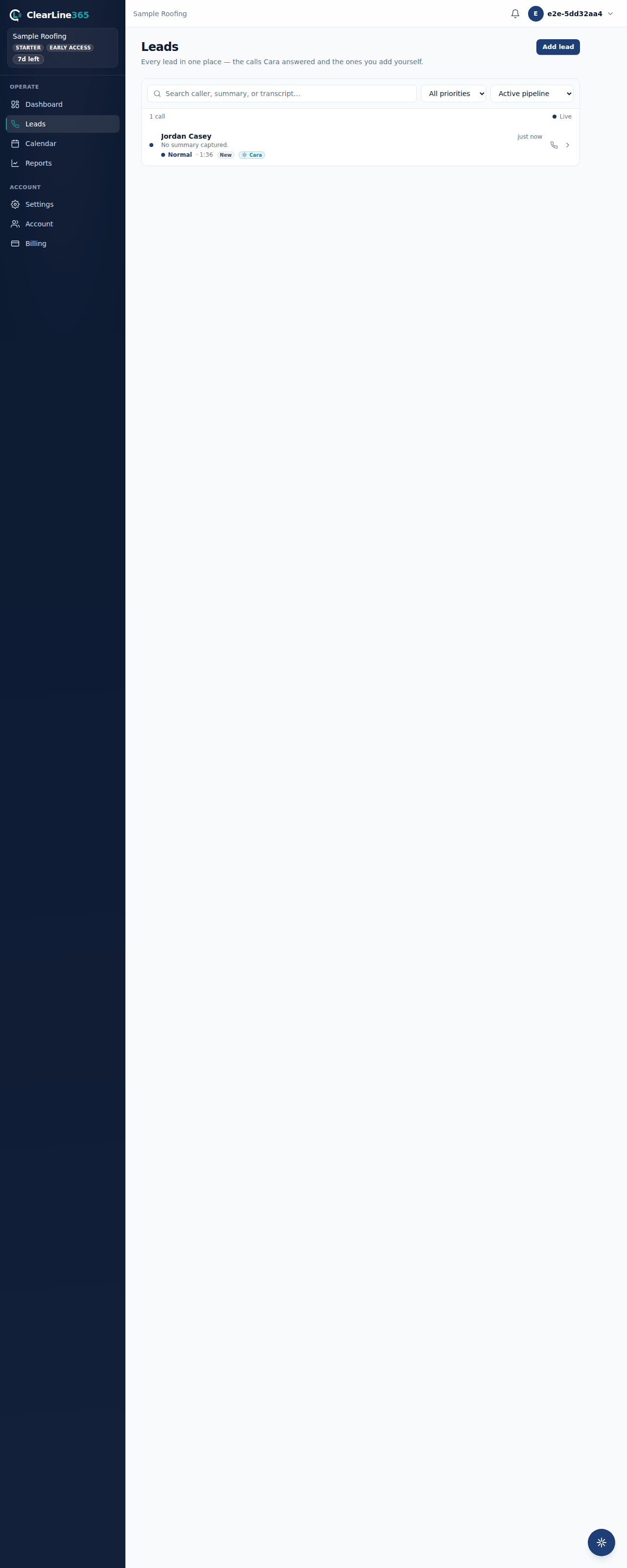
- After that, every answered call reaches you as a lead in the app, on the website, and by email.
Work down the checklist
Once your number is ready, the app shows what's left as a checklist on your Leads screen.
- Forward your calls. Tap Open call forwarding in the app, pick your phone company, and turn the switch on — one tap dials the code from your business phone. Full walkthrough: Forward your calls to Cara.
- Place a test call. Call your own ClearLine365 number from any phone, say the line the app suggests, and hang up. This checks that Cara answers and turns the call into a lead — it does not check forwarding, since it skips your phone company and reaches Cara directly. Full walkthrough: Your first test call, and what a good lead looks like.
If the app still shows no number for your business — you're on the waitlist, or something went sideways during signup — it asks you to pick one before the rest of the checklist opens up.
Step one never ticks itself off. Nothing we can see proves that a carrier forward went through — and calling your own ClearLine365 number in step two does not prove it either, since that call reaches Cara directly and never touches your phone company. To really check it, call your business number — the one your customers dial — from a different phone. If forwarding is set up, Cara answers that call too, and the app confirms it the moment it arrives.
What to expect
- Your number. If lines are open, the app says your number is reserved while the carrier connects it. When it can take calls, the step reads Your ClearLine number is active. It updates itself; there is nothing to retry. On the waitlist, there's no number step yet — the website's Your line page shows where you stand, and this whole checklist opens once your line does.
- Your test call. Cara's notes are a summary that lands after you hang up, not a live transcript. The lead usually appears within a minute, sometimes longer if the carrier is slow to hand the call off.
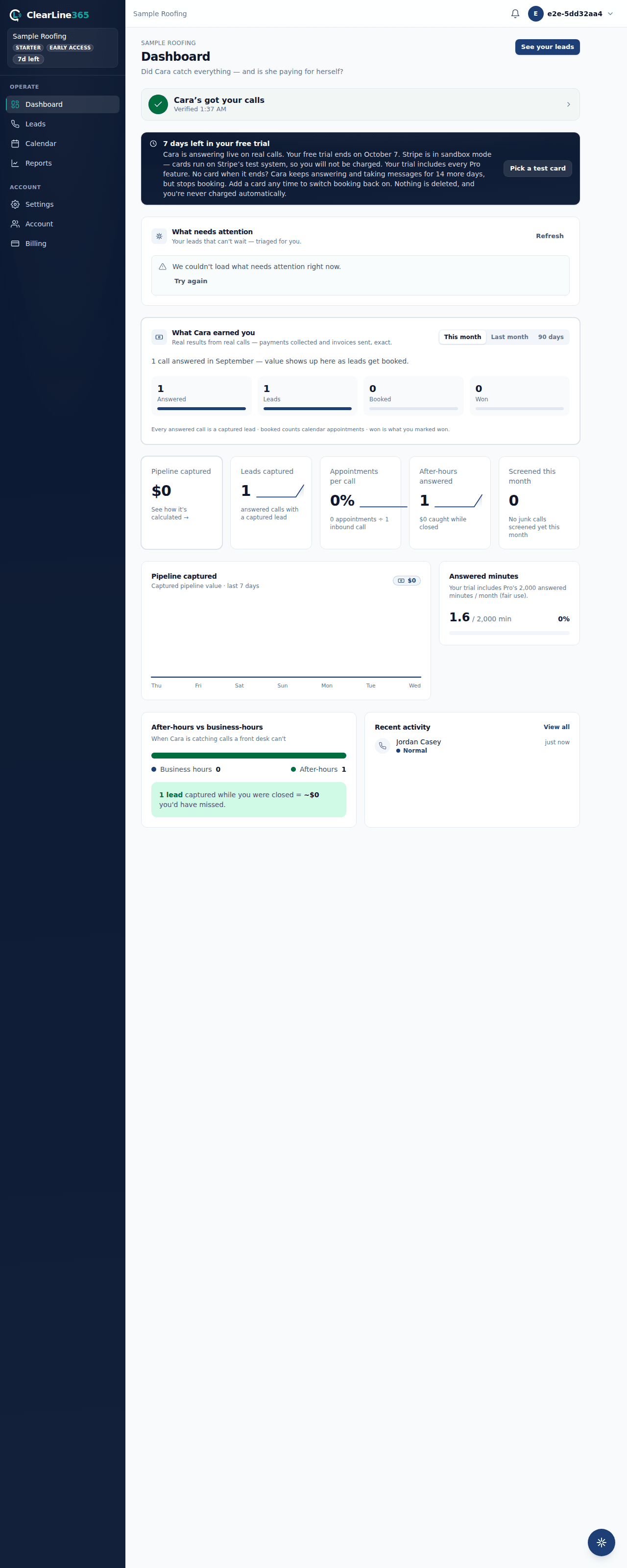
- Your first real lead. It reaches you four ways at once: the call appears on the website dashboard and the bell at the top of the website shows an unread count, the app sends a push notification, and an email summary goes to the account owner's address.
- Where to look after that. In the app, the Leads tab is the list of everyone Cara has captured. On the website, the dashboard shows what needs attention and the calls list holds every call with its recording and transcript.
Limits
Nothing about a call shows up while it is still in progress. Cara captures the caller, the job and the details during the conversation, and the lead lands once the call ends.
The checklist cannot verify your forwarding for you, and it will not pretend to. Placing your test call in step two does not check it either — that call goes straight to Cara and never touches your phone company. Until a real call reaches Cara through your forwarded business number, the only thing you know for certain is that the code was dialed. Call your business number from a different phone to check it for real.
Every business gets one number, and it is a US number. See Why US numbers only, and one number per business.
Common questions
Do I have to give out a new number?
No. Your existing number stays on the truck, the yard sign and the invoices. Forwarding sends the calls you would have missed to Cara instead of voicemail, and nobody you work with has to learn a new number.
What if my number is not live by the end of the day?
Wait for it rather than starting over. If lines are open, the number step updates itself the moment the carrier finishes, and the app tells you which state you are in. If you're on the waitlist, there's nothing to wait for today — your line opens when ClearLine365's does. Forwarding and your test call can both wait until the number is active.
How will I know which calls matter?
Cara sorts every finished call by what the caller actually said, and your alerts and calls list are already sorted by the time you look. See How Cara sorts urgent calls from estimate calls.
When does my trial start?
The moment you sign in for the first time. See Your free trial for what it covers and what happens at the end.