Forward an office landline or VoIP line
Add your shop phone or your internet phone service as its own line, set the forwarding it needs, and tell ClearLine365 when it is done.
Last checked against the product on
The phone on the shop wall rings all day, and plenty of those calls come in while everybody is out on a job. That line can go to Cara too. It is separate from the phone in your pocket, so it gets its own row and its own setup, and turning one on does nothing to the other.
You keep the number exactly as it is, with the company you have now. Forwarding only changes where the calls go.
Add the line
- Open Settings → Number & forwarding → Call Forwarding on the web, or tap the forwarding card at the top of your Leads screen in the app. Both open the same screen.
- Tap Add a line, then Landline or Internet phone line (VoIP). An internet phone line is called "VoIP line" once it is on the list, because the row is narrow.
- The new line opens, already named for you — "Landline", or "Landline 2" if you have one already.
- Pick who the line is with — Spectrum, Verizon Fios, AT&T, Xfinity, Frontier, Optimum and Cox for a landline, or the VoIP services listed below. If yours isn't there, pick Another provider or Another service, and a box appears where you can type the company's name — up to 40 characters, and fine to leave blank. What you type shows up beside the line, as Landline · Ace Telecom, so five rows tell you apart at a glance.
- The steps for that provider appear, with your ClearLine365 number already dropped into them, and a link to the provider's own help page where we have a good one.
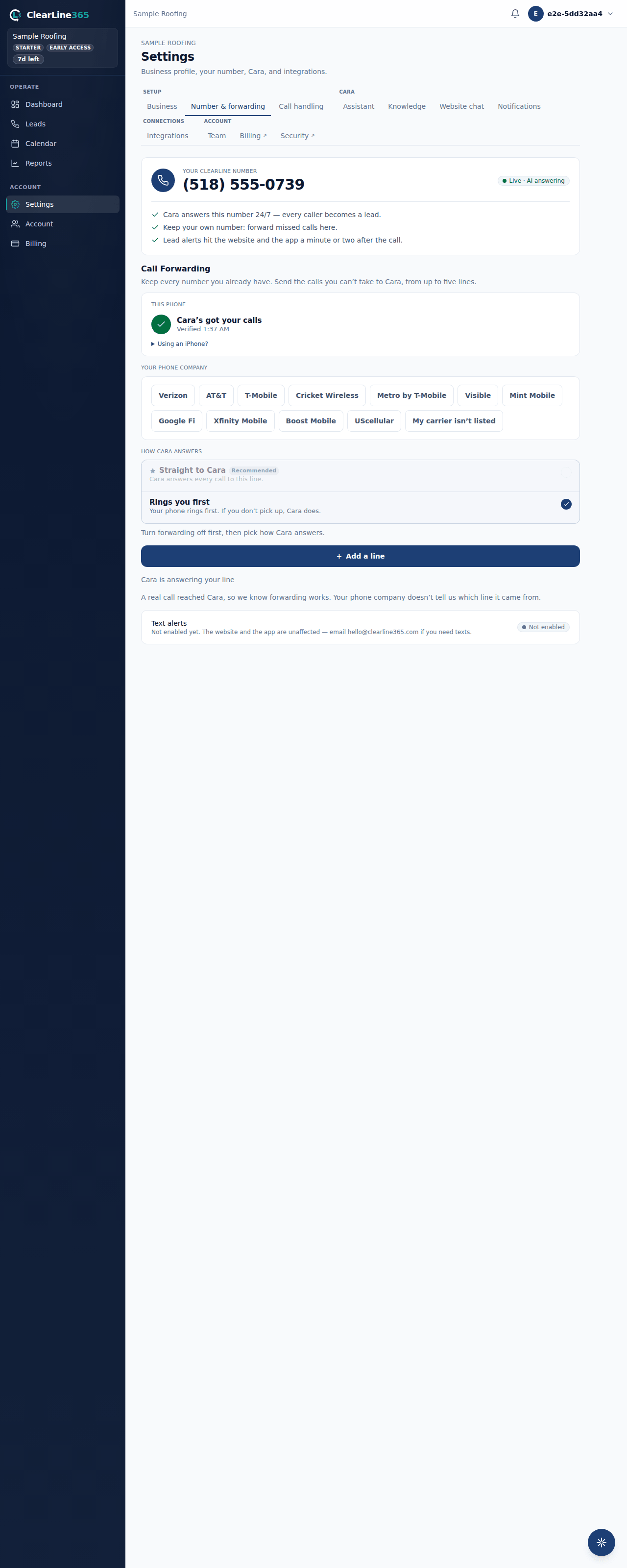
Forward an office landline
A landline code programs the line you dial it from, so nothing on your cell can do this for you. Somebody has to dial it on a phone plugged into that line.
- Pick up a phone on the line you want forwarded.
- Dial
*72and then your ClearLine365 number, no spaces and no pause. - Wait for the confirmation tone, then hang up.
- Back in ClearLine365, tap Done, I set it up.
To stop it later, open the line and tap Turn it off. Dial *73 on that same phone, then tap Done, I turned it off.
*72 and *73 work on most US landlines. If yours turns them down, your phone company's support line has its own call forwarding codes, and we would like to hear about it so we can correct this page.
Forward a VoIP line
On an internet phone service, forwarding is a setting on your provider's website rather than a code you dial. Providers move their menus around, so look for the landmark below instead of an exact label.
| Provider | Where to look |
|---|---|
| Google Voice | voice.google.com, then Settings and Calls |
| RingCentral | Your number's Call Handling |
| Zoom Phone | Phone, then Settings and Call Handling |
| Quo (formerly OpenPhone) | Your number's call flow |
| Dialpad | Your number's routing settings |
| Grasshopper | Settings, then Call Forwarding |
| Vonage | Phone Settings, then Call Forwarding |
| Ooma | my.ooma.com, then Preferences and Call Forwarding |
| Nextiva | Your number's call routing |
| Another service | Look for "call forwarding", "call handling", or "routing" |
- Sign in to your provider's website.
- Find call forwarding using the landmark above.
- Send all calls to your ClearLine365 number and save.
- Back in ClearLine365, tap Done, I set it up.
To stop it later, open the line and tap Turn it off. Take the forwarding number back out on your provider's site, then tap Done, I turned it off.
What to expect
Call the office number from a different phone. Cara answers with your greeting, and a minute or two after you hang up the call is on your Calls screen with the lead she captured; the recording and transcript fill in shortly after.
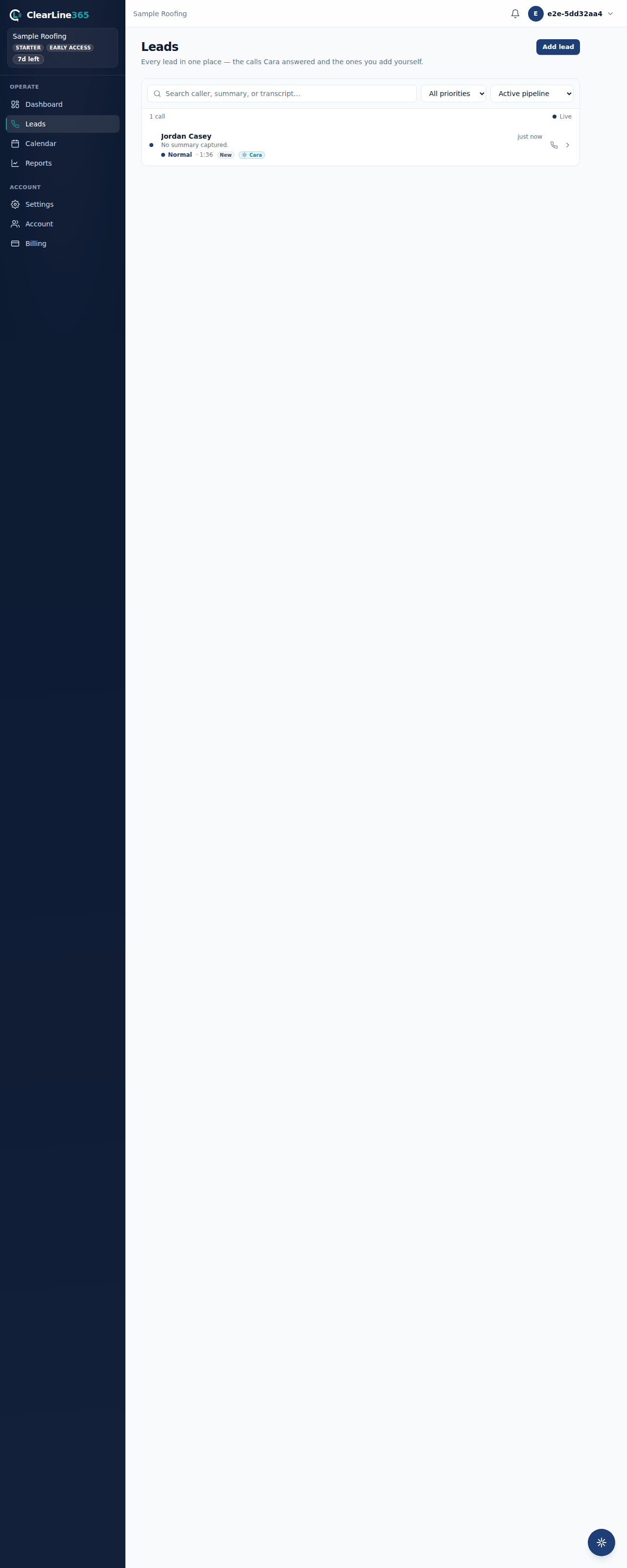
That test call is the proof. ClearLine365 confirms forwarding for your business as a whole, not line by line: it can see that a call arrived, but nothing tells it which of your phones sent it. So once any call reaches Cara it says Confirmed by your first call — check each new line by calling it yourself.
Limits
- Most landlines forward every call or none. If you want the shop phone to ring first and only send Cara what nobody picks up, ask your phone company whether it offers that; a lot of them don't.
- ClearLine365 can't see inside your phone company's account or your provider's website, so it can't switch this on for you and it can't tell you whether the change stuck. Your own test call can.
- You can list five lines in all, counting the phone in your hand.
- Provider menus get renamed. The steps name the landmark rather than promising an exact label, and a step that has clearly moved is worth telling us about.
Common questions
Do I keep my number?
Yes. It stays where it is, with the company you have now, on the same bill. Forwarding sends the calls somewhere else and you can stop it whenever you want.
Can the app dial the landline code for me?
No. The code programs whichever phone dials it, so dialing it on your cell would forward your cell and leave the shop phone exactly as it was. It has to be dialed on that line.
My provider isn't on the list. Now what?
Pick Another provider for a landline or Another service for an internet service, then go looking for call forwarding in your account settings. Every provider calls that screen something a little different; what you're setting is the same thing on all of them. On a landline, if *72 is refused, some providers want 72# and 73# instead — theirs is the only support line that can say.
Can I get rid of a line I added?
Yes. Open it and tap Remove this line. It asks once, then the row is gone and Cara stops being an option for that number. Nothing changes at your phone company, so if it was still forwarding, dial the off code as well.
Does forwarding cost me anything with my phone company?
That's between you and them. Most plans include call forwarding, but some older landline plans bill for it by the minute, so it's worth a look at your bill after the first month.